
Last updated: June 12, 2026
A 1099 professional's tech stack is the set of software tools that handle your accounting, payroll, payments, time tracking, and receipts - so you run a clean, tax-ready business year-round. The right stack, built around Xero, can cut bookkeeping time in half and eliminate year-end chaos.
We've set this exact setup up for dozens of independent professionals across Sugar Land, Katy, Missouri City, and Greater Houston. As Xero Advisor Certified CPAs, we've seen what works, what creates reconciliation headaches, and what you can skip. This guide is built from client files, not product comparison charts.
Your Back Office Setup Is a Tax Decision
Most 1099 professionals think of accounting software as a bookkeeping tool. It's not - it's a tax infrastructure decision. When your tools don't connect, transactions get miscategorized, contractor payments go out undocumented, and receipts pile up in a folder you'll deal with "later." Then January arrives.
The IRS expects 1099 filers to report all income on Schedule C, pay 15.3% self-employment tax, and make quarterly estimated payments. Disorganized books don't just cause stress - they cause missed deductions, bad estimates, and a cleanup bill that costs more than getting it right from the start. Here's what we recommend instead.
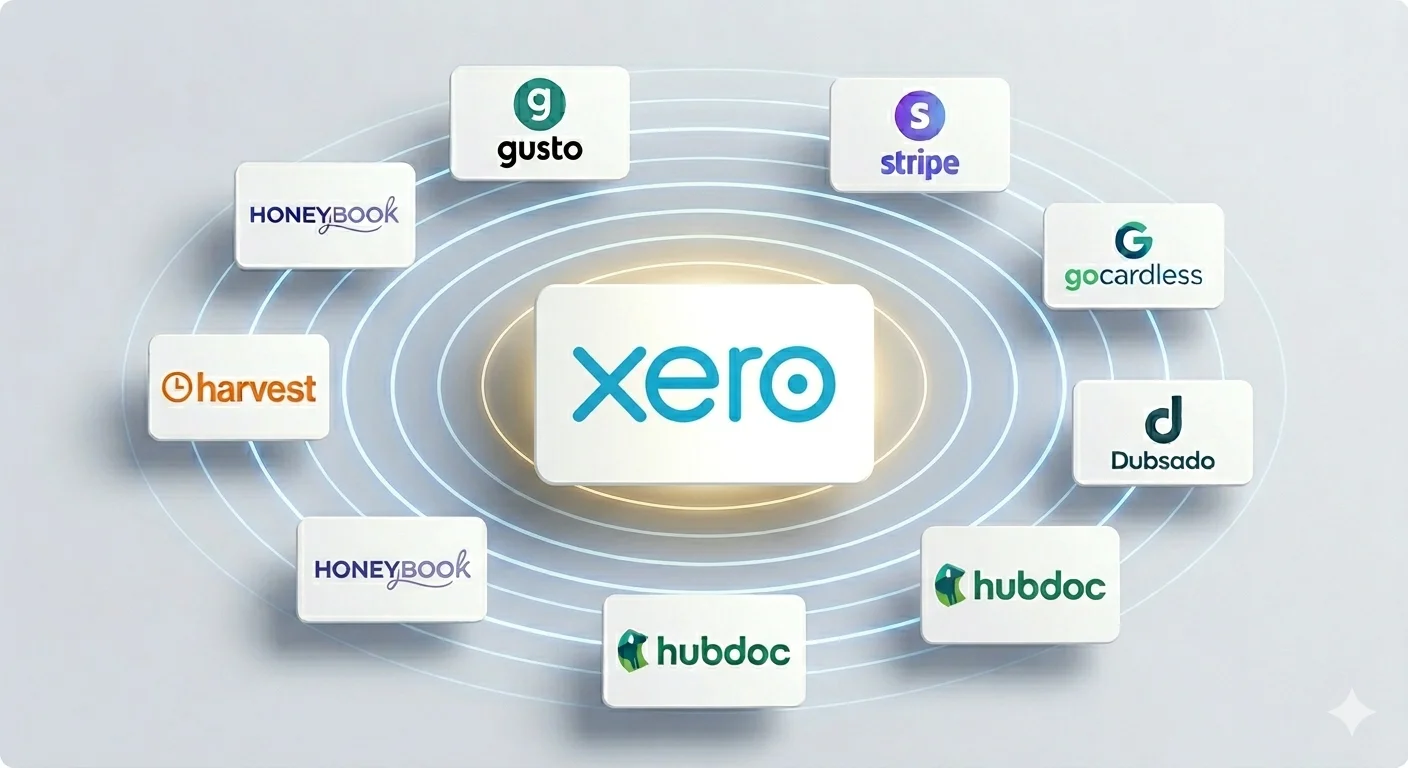
The Stack at a Glance
| Layer | Tool | Xero Integration |
|---|---|---|
| Accounting | Xero | Native - the hub |
| Payroll + 1099-NEC filing | Gusto | Native |
| Payment collection | Stripe | Native auto-sync |
| Recurring / retainer billing | GoCardless | Built into Xero invoices |
| Contracts + payments | HoneyBook / Dubsado | Via Zapier |
| Time tracking + invoicing | Harvest | Native |
| Receipt capture | Hubdoc | Native (free with Xero) |
Not every professional needs every layer. We'll tell you which combination fits your situation below.
Xero: The Hub
Xero connects to your bank accounts, reconciles transactions automatically, generates invoices, and produces real-time financial reports. Everything else in this stack feeds into it.
We recommend Xero over QuickBooks for 1099 professionals because the bank feed automation is more reliable, the interface is faster, and the integration ecosystem is larger. QuickBooks Self-Employed is too limited for anyone running a real business. QuickBooks Online costs more at equivalent tiers. For new setups, we default to Xero Standard ($42/month) for most solo professionals.
Being Xero Advisor Certified means we configure your chart of accounts, bank rules, and integrations correctly from day one. When we set up Xero for a client, the first month of reconciliation usually takes less than 20 minutes.
Gusto: Payroll and 1099-NEC Filing
Most independent contractors assume payroll software isn't relevant to them. This is one of the most expensive assumptions we see.
If you pay anyone $2,000 or more in a calendar year for services (a virtual assistant, a subcontractor, a part-time hire), you're legally required to issue a 1099-NEC by January 31. That threshold rose from $600 starting with payments made in 2026, and the 2026 form adds new boxes for cash tips and overtime. Gusto tracks those payments and generates the forms automatically. At $6/contractor/month, it pays for itself the first time you avoid a manual 1099 scramble. If you've elected S-Corp status, Gusto also runs your W-2 payroll and posts journal entries directly to Xero with no manual entry required.
Getting Paid: Payment Tools That Sync with Xero
Payments through Venmo or Zelle show up as unlabeled deposits with no client name, no invoice reference, and no paper trail. Use a tool that ties every payment to an invoice and posts it to Xero automatically.
Stripe is the default for most consultants and service professionals. Clients pay by card or ACH, the transaction syncs to Xero, and the invoice closes itself. Processing: 2.9% + 30¢ per card, 0.8% for ACH.
GoCardless is built directly into Xero invoices. Clients authorize a direct debit and the payment pulls automatically on the due date. For retainer clients, this eliminates late invoices entirely. Fees: 1%, capped at $2.50.
HoneyBook or Dubsado sits in front of Xero for professionals who need contracts and client intake alongside payments - PMHNPs, coaches, therapists, consultants. A client books, signs a contract, and pays a deposit in one workflow. Payments sync to Xero via Zapier.
Harvest: Time Tracking and Invoicing
If you bill by the hour or manage scope-based projects, Harvest has the best Xero integration available. You track time against a client, Harvest generates the invoice, pushes it to Xero, and when the client pays through Stripe or GoCardless, the payment syncs back. The entire billing cycle runs through connected systems without a single manual entry.
Hubdoc: Receipt Capture (Free With Xero)
Photograph a receipt with the Hubdoc app and it reads the amount, vendor, date, and category, then publishes a coded transaction to Xero with the image attached. For recurring bills, Hubdoc fetches invoices from vendors automatically each month without you touching anything.
Clients who use Hubdoc consistently hand us a clean, documented expense record in January. Clients who don't hand us a shoebox. The tax outcome is the same - the cost to get there is not.
Which Stack Fits Your Situation?
Solo consultant or freelancer, no subcontractors
Xero + Stripe + Hubdoc. Add Harvest if you bill hourly. Under $60/month, running in a weekend.
PMHNP or healthcare professional in private practice
Xero + Gusto + GoCardless + Hubdoc + HoneyBook or Dubsado for client intake.
Contractor who pays subcontractors
Xero + Gusto is non-negotiable for 1099-NEC compliance. Add Stripe and Hubdoc.
S-Corp owner paying yourself W-2 salary
Full stack: Xero + Gusto + Stripe + Harvest + Hubdoc.
We've Done This. We Can Set It Up For You.
Setting up this stack correctly takes 3-4 hours with someone who knows what they're doing. Done wrong, you're looking at months of reconciliation problems and a cleanup bill that exceeds what proper setup would have cost.